JD TITAN ID Verification for Beginners: What Documents You Need
Why JD TITAN Asks for ID Verification
When you register a JD TITAN account, the platform will ask you to verify your identity before you can withdraw any winnings. This is a standard step at online casinos and sportsbooks operating in the Philippines.
JD TITAN requires ID verification to confirm that all players are 21 years old or above. The platform is restricted to adults only, and checking your government-issued identification is how JD TITAN ensures minors cannot gamble on the site.
Beyond age checks, ID verification also protects your account. It makes sure that only you—the person named on the ID—can withdraw money from your account, reducing the risk of fraud or unauthorized access.
If you are new to online betting, this process can feel unfamiliar. But once you understand which documents are accepted and how to take clear photos, the entire verification usually wraps up in a few business days.
Accepted Philippine IDs for JD TITAN
JD TITAN accepts most government-issued Philippine IDs. You only need one valid ID to complete the verification process. Make sure your chosen document shows your full name, date of birth, photo, and ID number.
Driver's License
A Philippine driver's license issued by the Land Transportation Office (LTO) is one of the most commonly used IDs. Both the old card format and the newer plastic driver's license card are accepted. Check that your license is not expired; JD TITAN typically requires a valid (non-expired) ID.
Passport
A Philippine passport is another strong option. The biographical page—the one with your photo, full name, date of birth, and passport number—is what you will photograph and upload. Passports are especially helpful if your other IDs have older photos or if you prefer a single document that covers all verification needs.
UMID (Unified Multi-Purpose ID)
The UMID card, issued by the Social Security System (SSS), is widely accepted. This national ID shows your photo, name, birth date, and a unique UMID number. Because it is a government-issued biometric card, JD TITAN recognizes it as a valid proof of identity.
Postal ID
A postal ID from the Philippine Postal Corporation (PHLPost) is also on the accepted list. Postal IDs include your photo, full name, and date of birth. Make sure the ID is current—some postal IDs have a validity period printed on them, and JD TITAN may reject an expired card.
What to Avoid
JD TITAN does not accept company IDs, school IDs, barangay IDs, or digital screenshots of e-wallet verifications. Stick to the national or government-issued IDs listed above to avoid delays.
How to Upload Clear Photos of Your Documents
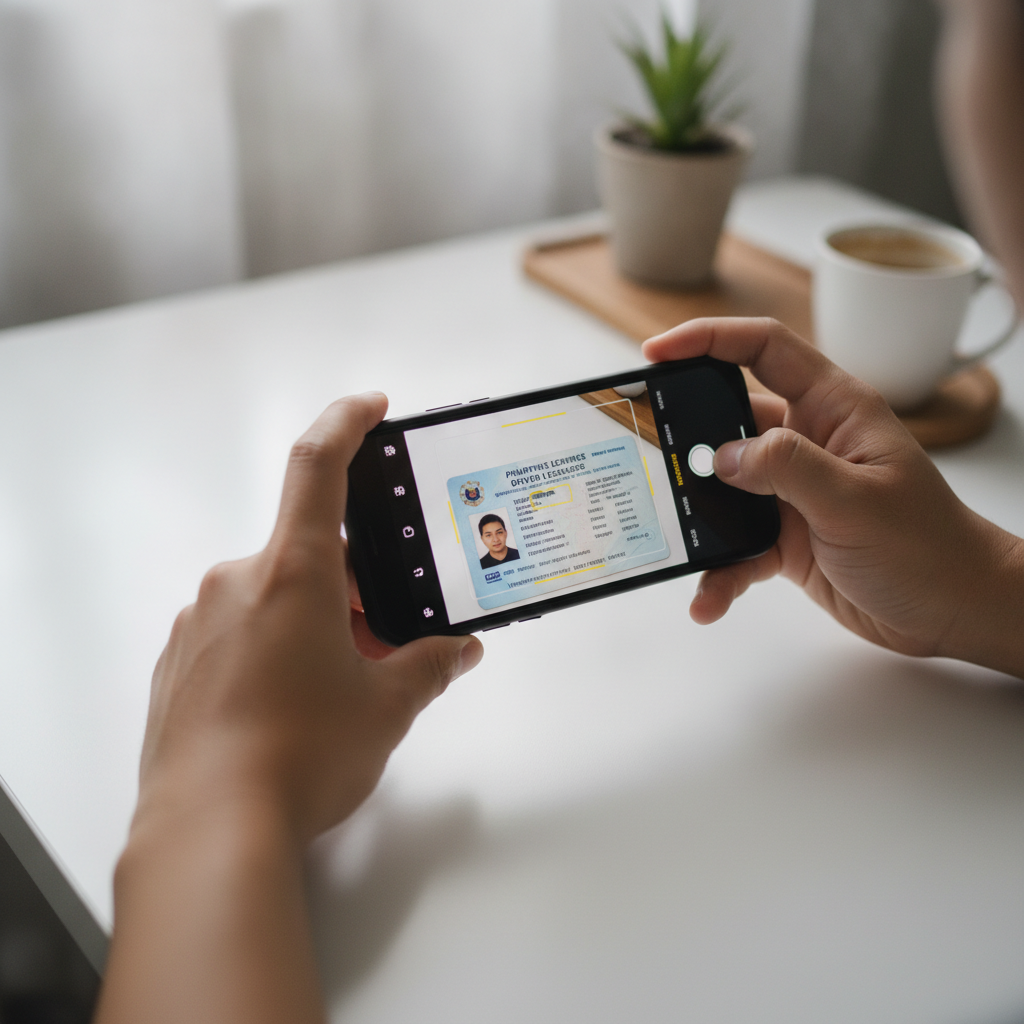
Taking a clear, legible photo of your ID is the most important part of the verification process. Blurry images, glare from lights, or cut-off corners will result in a rejected upload, and you will need to submit again.
Step-by-Step Photo Tips
- Find good lighting. Natural daylight works best. Avoid taking photos under yellow bulbs or in dim rooms. If you are indoors, position yourself near a window during the day.
- Lay your ID flat. Place the ID on a solid, contrasting background—white paper or a clean table. Do not hold the ID in mid-air; it is harder to keep it steady and level.
- Use your phone camera. Most Android phones have cameras that are more than good enough. Open your camera app, turn off the flash (natural light is better), and hold the phone directly above the ID. Make sure the entire card fits inside the frame.
- Avoid glare. The plastic coating on many IDs can reflect light and create bright spots that hide text. Tilt the ID slightly if you see glare, or move your light source.
- Check clarity. Before uploading, zoom in on the photo to confirm that your name, date of birth, and ID number are sharp and readable. If any text looks fuzzy, retake the photo.
- Capture both sides if required. Some IDs, like driver's licenses, have information printed on the back. JD TITAN may ask for front-and-back photos. Take separate, clear images of each side.
File Format and Size
JD TITAN usually accepts JPG or PNG image files. Most phone cameras save photos in JPG by default, so you do not need to convert anything. Keep the file size under 5 MB—modern phones rarely exceed this unless you are using special camera modes.
If your photo file is too large, you can use a free image compressor app from the Google Play Store (search "image resizer") to shrink it without losing much quality.
How Long Verification Takes and What Happens Next
After you upload your ID through the JD TITAN website or mobile site, the platform's support team will review your documents.
Typical verification time is one to three business days. During busy periods—such as holidays or major sporting events like PBA playoffs or NBA Finals—the review may take a bit longer.
What to Expect During Review
- Email or SMS notification. JD TITAN will send you a message once your ID is approved. Some players also receive an in-app notification when they log in.
- No action needed. You do not need to contact support unless several days pass without any update. The process is automatic on the back end.
- Request for resubmission. If your photo is unclear or the ID type is not accepted, JD TITAN will ask you to upload again. Check your registered email and follow the instructions.
After Approval
Once your ID is verified, you can make deposits using GCash, Maya, or bank transfer (InstaPay and PESONet) and start playing slots, live dealer tables, or placing sports bets on PBA, NBA, and volleyball. More importantly, you will be able to withdraw your winnings back to your chosen payment method. Without a verified ID, JD TITAN will hold withdrawal requests in a pending state.
If Verification Is Rejected
A rejected verification is usually due to a photo issue, not a problem with your identity. Common reasons include:
- Blurry or low-resolution images
- Glare covering key details
- Cropped edges that hide part of the ID
- Expired ID
- Use of an ineligible document type (such as a company ID)
Simply retake the photo following the tips in this guide and resubmit. There is no penalty for uploading multiple times.
Responsible Gambling Notice and Data Privacy Basics
JD TITAN is for players aged 21 and above only. If you are under the legal age, you are not permitted to register or play.
Online gambling should be a form of entertainment, not a way to solve financial problems. Set a budget before you deposit, and never bet money you cannot afford to lose. If you feel that gambling is becoming difficult to control, take a break or seek help from local support resources.
Your Personal Data
JD TITAN collects and stores your ID documents to meet regulatory and security standards. Your information is kept confidential and used only for account verification and anti-fraud purposes. The platform does not share your ID with third parties for marketing.
When you upload your driver's license, passport, UMID, or postal ID, the file is transmitted over an encrypted connection. Make sure you are using the official JD TITAN website or mobile site—never send your ID via email, social media, or unofficial chat groups.
If you have questions about how your data is handled, you can contact JD TITAN customer support through the help or live-chat feature on the site. Keep in mind that support agents may ask you to verify basic account details (such as your registered phone number or email) before discussing your verification status.
Final Checklist Before You Submit
Before you hit the upload button, run through this quick checklist:
- ✅ Your ID is government-issued and on the accepted list (driver's license, passport, UMID, or postal ID)
- ✅ The ID is valid and not expired
- ✅ Your photo is clear, with all text readable and no glare
- ✅ The entire card is visible, including all four corners
- ✅ You have saved the file in JPG or PNG format
- ✅ You are 21 years old or above
Once everything checks out, log in to your JD TITAN account, navigate to the verification or account settings section, and upload your document. Then simply wait for the confirmation email or SMS.
Completing ID verification is a one-time task that unlocks full access to your JD TITAN account—deposits, gameplay, and most importantly, withdrawals. By preparing a clear photo of an accepted Philippine ID and understanding the timeline, you will breeze through the process and be ready to enjoy slots, live dealer games, and sports betting on PBA, NBA, and volleyball with confidence.
Remember: JD TITAN is for players 21+ only. Gamble responsibly and only with money you can afford to lose.